POS Cashier Web
POS Cashier Web is the countertop lane interface for supermarket and retail checkout stations.
It is designed for:
- countertop touch terminals
- fixed USB or Bluetooth barcode scanners
- receipt printers
- signed customer-facing digital receipt verification links
- cash drawers
- browser kiosk deployment
The Receipts page now exposes a country-neutral manager return tray. It derives
remaining quantities from completed credit notes, sends exact item quantities,
the stock-return decision and the open refund shift, and reuses a retry-stable
idempotency key. Before submission it follows the server's original-capture-order
tender plan and refuses any electronic leg whose exact configured provider does
not advertise REFUND_CAPTURED_PAYMENT. The browser never substitutes a
country-specific rail or fiscal provider name for that capability check.
Verified UI
The screenshots below were captured from the live local cashier web app on 2026-03-30 using the Pick n Pay merchant demo estate.
Countertop Lane
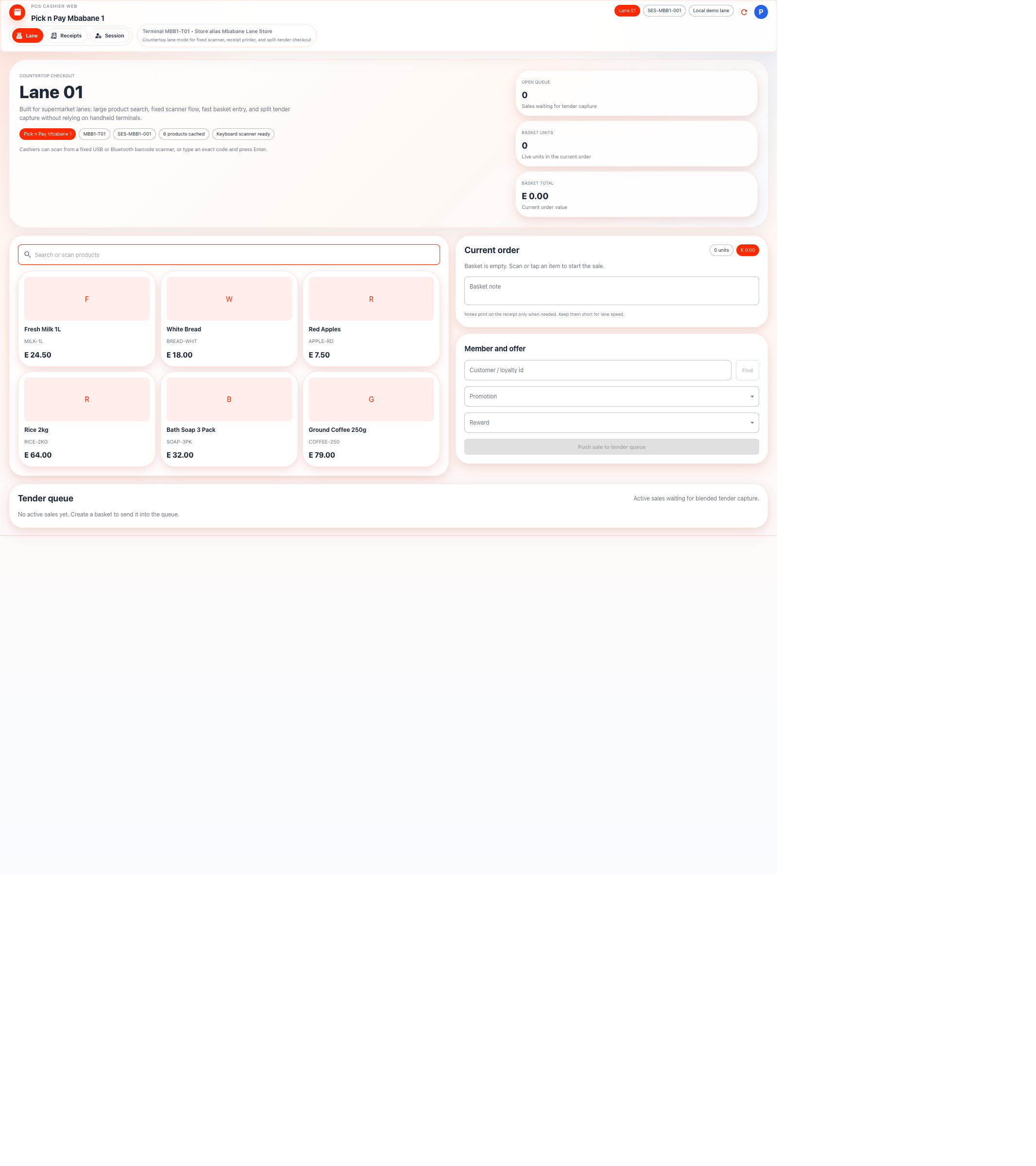
This screen is optimized for fast lane work:
- scanner-ready product search
- tap or scan into basket
- customer and loyalty lookup
- tender queue handoff
- split tender capture across the currently enabled cash, customer-app wallet, mobile-money, and card-present methods
Session and Lane Binding
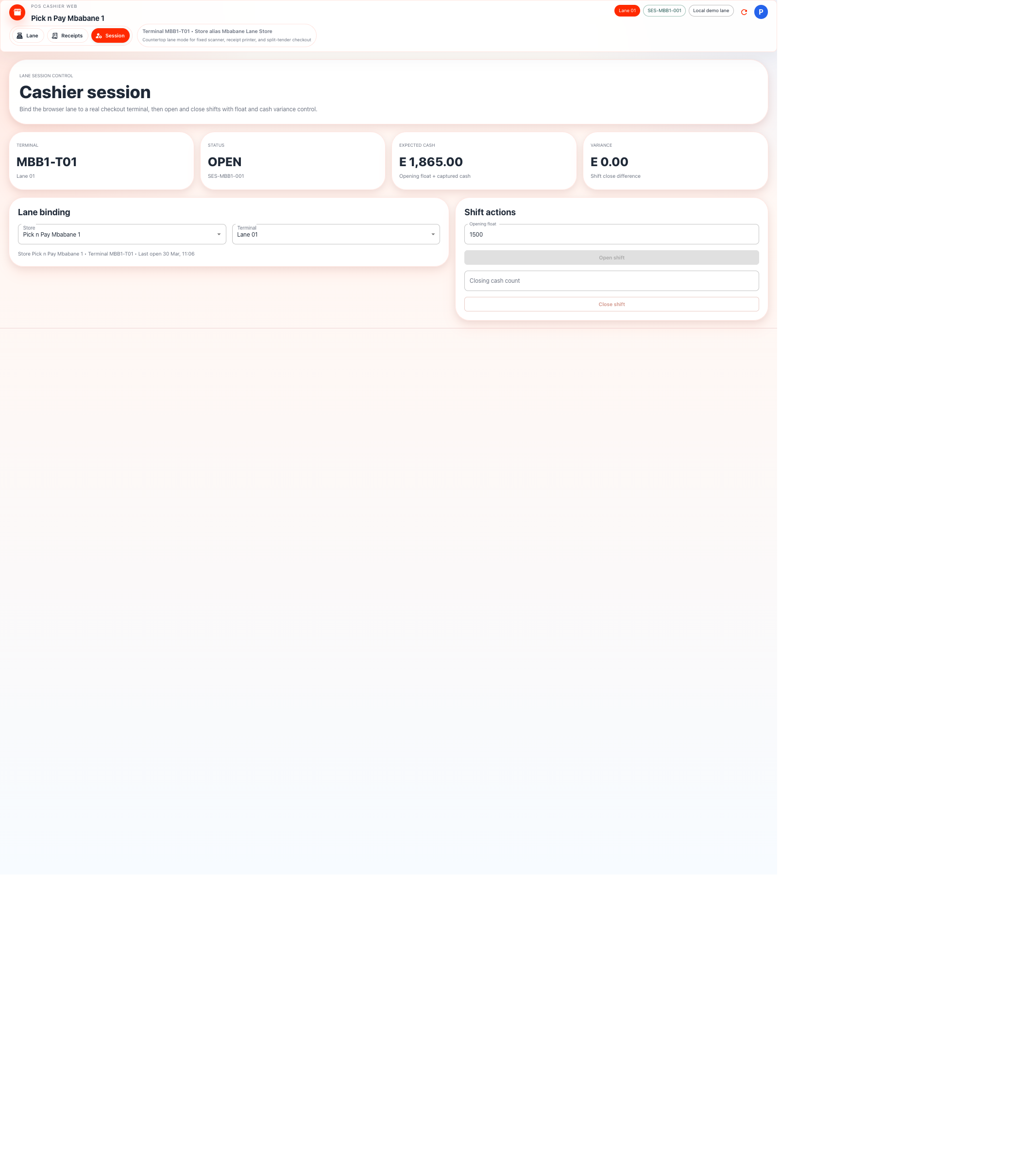
This screen manages lane control:
- bind the browser lane to a store and terminal
- enroll the lane as a
WEBterminal using a merchant-created one-time code - store a non-exportable P-256 signing key in browser IndexedDB
- open and close shifts
- track expected cash
- capture closing cash count and variance
Lane Workflow
- Select the merchant store. A merchant administrator creates a short-lived
WEBterminal activation in Backoffice while the lane computer is present. - Enter the code only on the Session page. The browser signs activation with its WebCrypto key and never stores the code.
- Select the enrolled WEB terminal and confirm Request proof ready.
- Open the shift with an opening float if the lane takes cash.
- Scan or search products into the basket.
- Attach a customer when loyalty or member history is needed.
- Push the basket into the tender queue.
- Collect one or more tenders:
CashCustomer appMobile moneyCardEach positive leg can be less than the due amount. The basket stays reserved andPARTIALLY_PAIDuntil the final captured leg reaches zero due.- A pending
Customer apptender exposes a cancel action. Cancellation checks the provider first; if payment completed first, the lane keeps it captured. The action is derived from the selected adapter's bootstrapCANCEL_PENDING_PAYMENToperation; providers without authoritative cancellation do not expose it. - Print or re-open the receipt. For a server-synchronized receipt, create, copy or open its signed digital verification link; the same URL is included on the browser-printed receipt.
- For a manager-authorized return, open Receipts → Return items, select the exact quantities, record the reason and decide whether sellable stock should be restored. A pending or manual-review return blocks another submission for the same receipt. Completed credit notes remain visible under receipt details.
Countertop-Specific Rules
- this is the primary supermarket lane client
- keyboard-wedge barcode scanners should work without special cashier actions
- physical printer and cash drawer support belongs here first
- session recovery is terminal-driven, not browser-tab-driven
- Android and dedicated hardware terminals cannot be selected or impersonated by cashier web; each browser lane must own its separately enrolled WEB key
- protected mutations fail locally when the matching non-exportable key is unavailable, and server-side nonce claims reject replay across replicas
- the lane should stay fast even when loyalty, promotions, and item images are enabled
Relationship to Card-Present
For card-present acquiring, cashier web initiates the payment request and hands off the card flow to the terminal estate. It should not become the place where raw card data is captured.